A World-Class
Forex
Trading Experience
Trade CFDs on Stocks, Forex, Crypto, Indices & Commodities. Advanced tools, uncompromising security, institutional-grade execution.
Our members are winning
Trade across all asset classes
Access global markets — crypto, forex, stocks, indices, and commodities — from a single account.
| Asset | Price | 24h Change | Volume | |
|---|---|---|---|---|
| Bitcoin / USD | $103,976.00 | +0.22% | $48.2B | Trade → |
| Ethereum / USD | $2,487.30 | +1.14% | $18.7B | Trade → |
| EUR / USD | 1.11464 | -0.41% | $92B | Trade → |
| GBP / USD | 1.32870 | +0.18% | $38B | Trade → |
| Apple Inc. | $192.45 | +0.83% | $8.4B | Trade → |
| Tesla Inc. | $347.10 | +1.69% | $12.1B | Trade → |
| Gold (XAU) | $3,186.89 | -1.57% | $22.3B | Trade → |
| Crude Oil (WTI) | $78.42 | +0.65% | $15.8B | Trade → |
Everything you need to trade smarter
Ultra-low latency order routing under 12ms. Direct market access with Tier-1 liquidity providers ensures zero slippage on every trade.
Your funds are held in segregated accounts. We use 256-bit SSL encryption, 2FA, and cold wallet storage for all digital assets.
100+ technical indicators, multiple chart types, drawing tools, and real-time data powered by TradingView integration.
Full-featured mobile apps for iOS and Android. Trade, deposit, and manage your portfolio from your pocket, 24/7.
Dedicated account managers and round-the-clock live chat. Our expert support team is always ready to assist you.
Raw spreads from 0.0 pips on major FX pairs. No hidden commissions. Transparent pricing on all 250+ instruments.
Pick a Portfolio. We Handle the Rest!
Choose a strategy that matches your risk appetite. Our algorithms rebalance 24/7.




As Seen In












Get our app.
Markets in your pocket.
Trade, manage your portfolio, and track live prices from anywhere. Available on iOS, Android, and Telegram — with the same institutional-grade tools you get on desktop.
How To Install The Spectral iOS App
No App Store needed. Tap the Download iOS App button, then follow these 3 quick steps to add Spectral to your Home Screen.
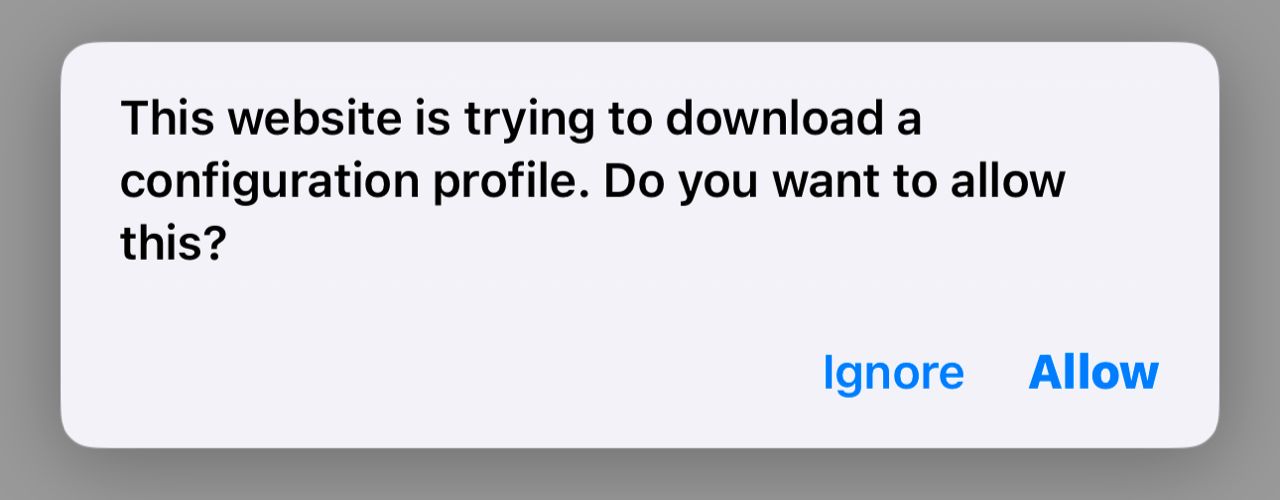
Allow the download
After tapping iOS above, tap Allow when Safari asks to download the configuration profile.
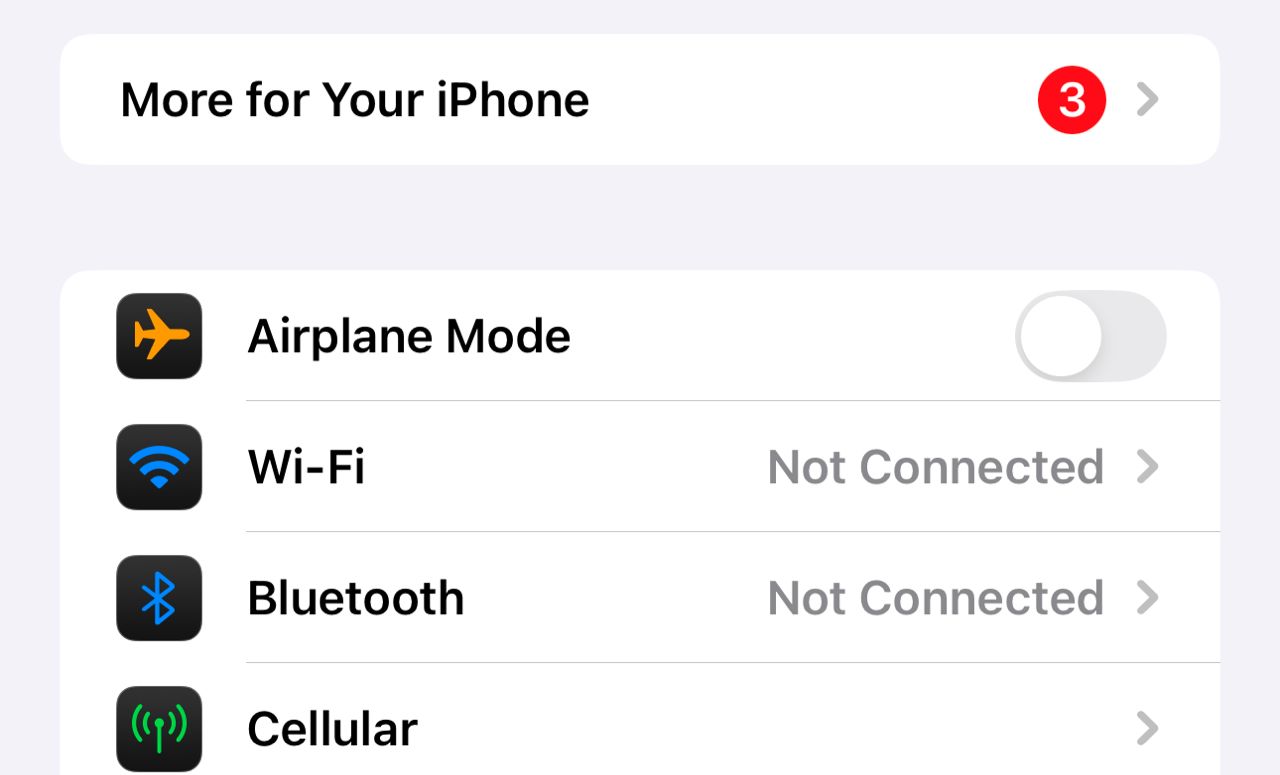
Open Settings
Open your iPhone Settings. Tap “Profile Downloaded” near the top — or anywhere you see the red numbered notice (usually under General).
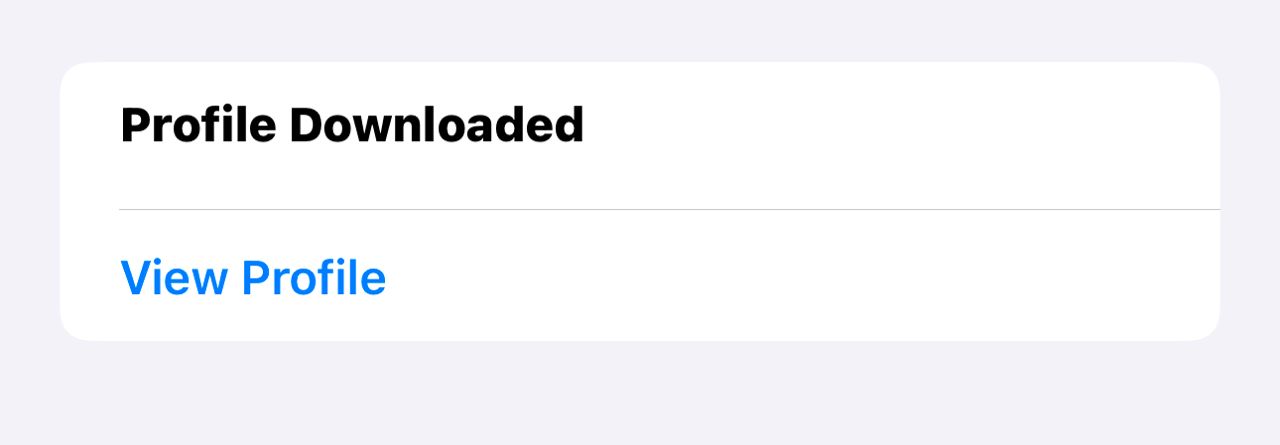
View Profile & Install
Tap View Profile, then Install (top-right) and enter your passcode if asked.